


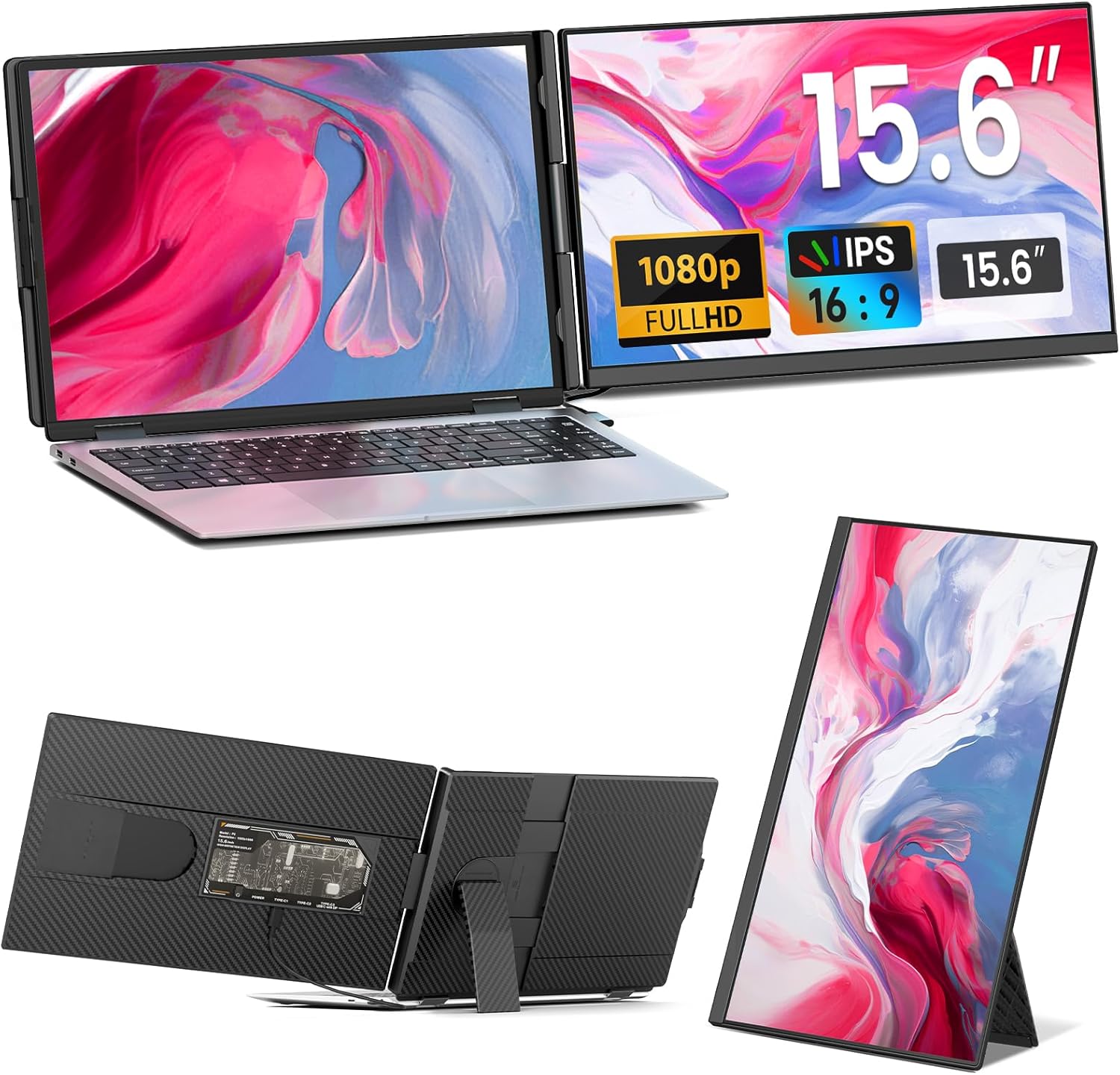

Cevaton P5 Portable Dual Monitor | 15.6" Dual Screen Laptop Extender, Plug & Play
🚀 Maximize Your Workflow: The P5 15.6" Portable Laptop Monitor Your Office, Anywhere You Go. First and...
- $159.99
$219.99- $159.99
- Unit price
- per
Save $60.00
Please hurry! Only 12 left in stock
Limited-Time Offers, End in:
151D
8H
23M
0S
10 customers are viewing this product
Couldn't load pickup availability
Free Shipping
Free standard shipping on orders over $99
Free Returns
Learn More.
Built And Shipped Within 5 - 7 Bussiness Days

Nam tempus turpis at metus scelerisque placerat nulla deumantos solicitud felis. Pellentesque diam dolor, elementum etos lobortis des mollis ut risus. Sedcus faucibus an sullamcorper mattis drostique des commodo pharetras loremos.Donec pretium egestas sapien et mollis. Pellentesque diam dolor cosmopolis etos lobortis.
- Comodous:
- Comodous in tempor ullamcorper miaculis
- Mattis laoreet:
- Pellentesque vitae neque mollis urna mattis laoreet.
- Divamus de ametos:
- Divamus sit amet purus justo.
- Molestie:
- Proin molestie egestas orci ac suscipit risus posuere loremous
Product Specification
Returns Policy
You may return most new, unopened items within 30 days of delivery for a full refund. We'll also pay the return shipping costs if the return is a result of our error (you received an incorrect or defective item, etc.).
You should expect to receive your refund within four weeks of giving your package to the return shipper, however, in many cases you will receive a refund more quickly. This time period includes the transit time for us to receive your return from the shipper (5 to 10 business days), the time it takes us to process your return once we receive it (3 to 5 business days), and the time it takes your bank to process our refund request (5 to 10 business days).
If you need to return an item, simply login to your account, view the order using the "Complete Orders" link under the My Account menu and click the Return Item(s) button. We'll notify you via e-mail of your refund once we've received and processed the returned item.
Shipping
We can ship to virtually any address in the world. Note that there are restrictions on some products, and some products cannot be shipped to international destinations.
When you place an order, we will estimate shipping and delivery dates for you based on the availability of your items and the shipping options you choose. Depending on the shipping provider you choose, shipping date estimates may appear on the shipping quotes page.
Please also note that the shipping rates for many items we sell are weight-based. The weight of any such item can be found on its detail page. To reflect the policies of the shipping companies we use, all weights will be rounded up to the next full pound.
Product Specification
| Drostique | Nam tempus turpis at metus scelerisque placerat nulla deumantos |
| Pharetro Lorem | Pellentesque diam dolor elementum etos lobortis des mollis |
| Milancelos | Donec pretium egestas sapien et mollis |
| Pellentesque | Sedcus faucibus an sullamcorper mattis drostique des commodo pharetras |
| Proin Molestie | Pellentesque diam dolor elementum etos lobortis des mollis |
| Cosmopolis | Donec pretium egestas sapien et mollis |
Product Specification
🚀 Maximize Your Workflow: The P5 15.6" Portable Laptop Monitor
Your Office, Anywhere You Go.
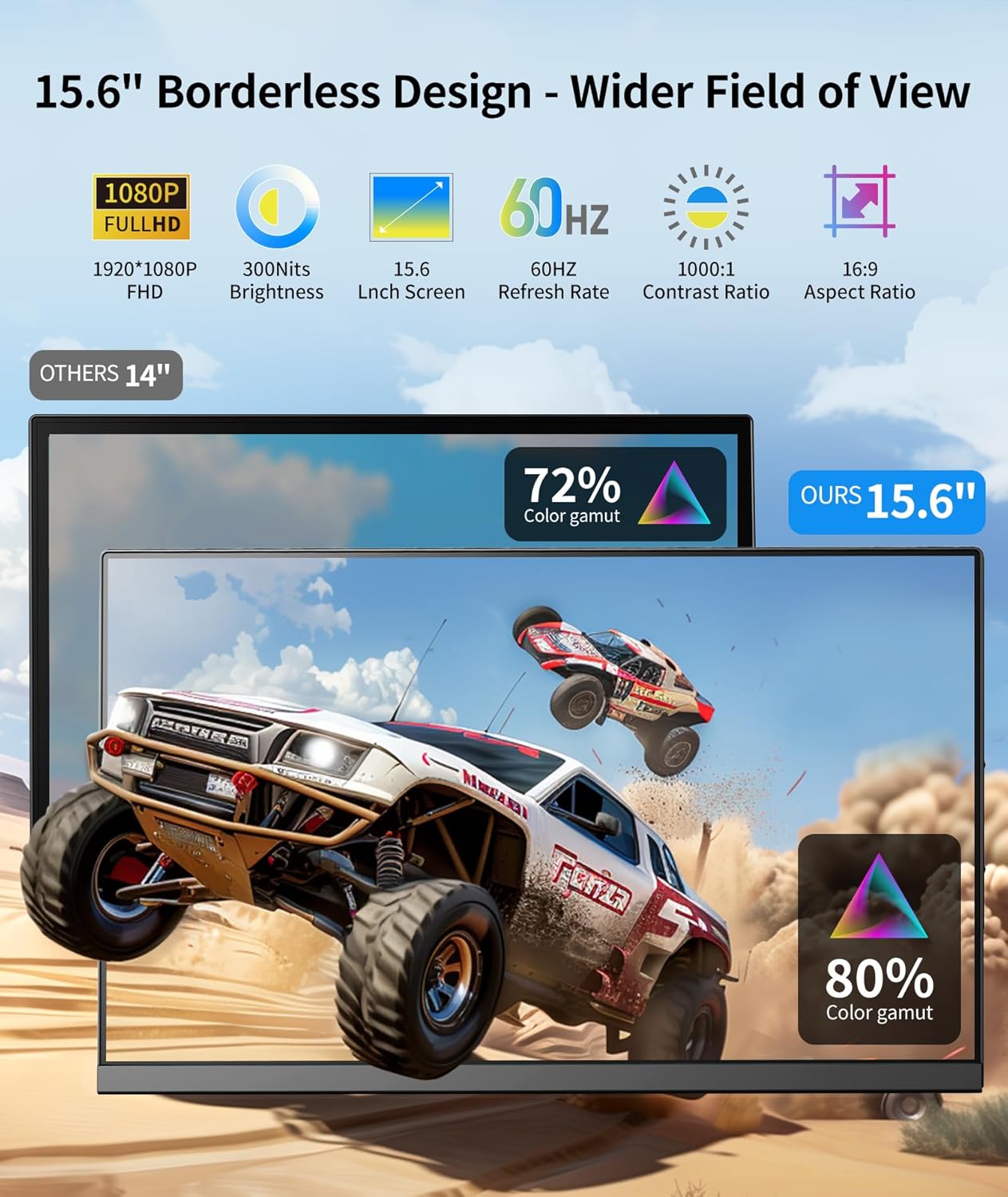
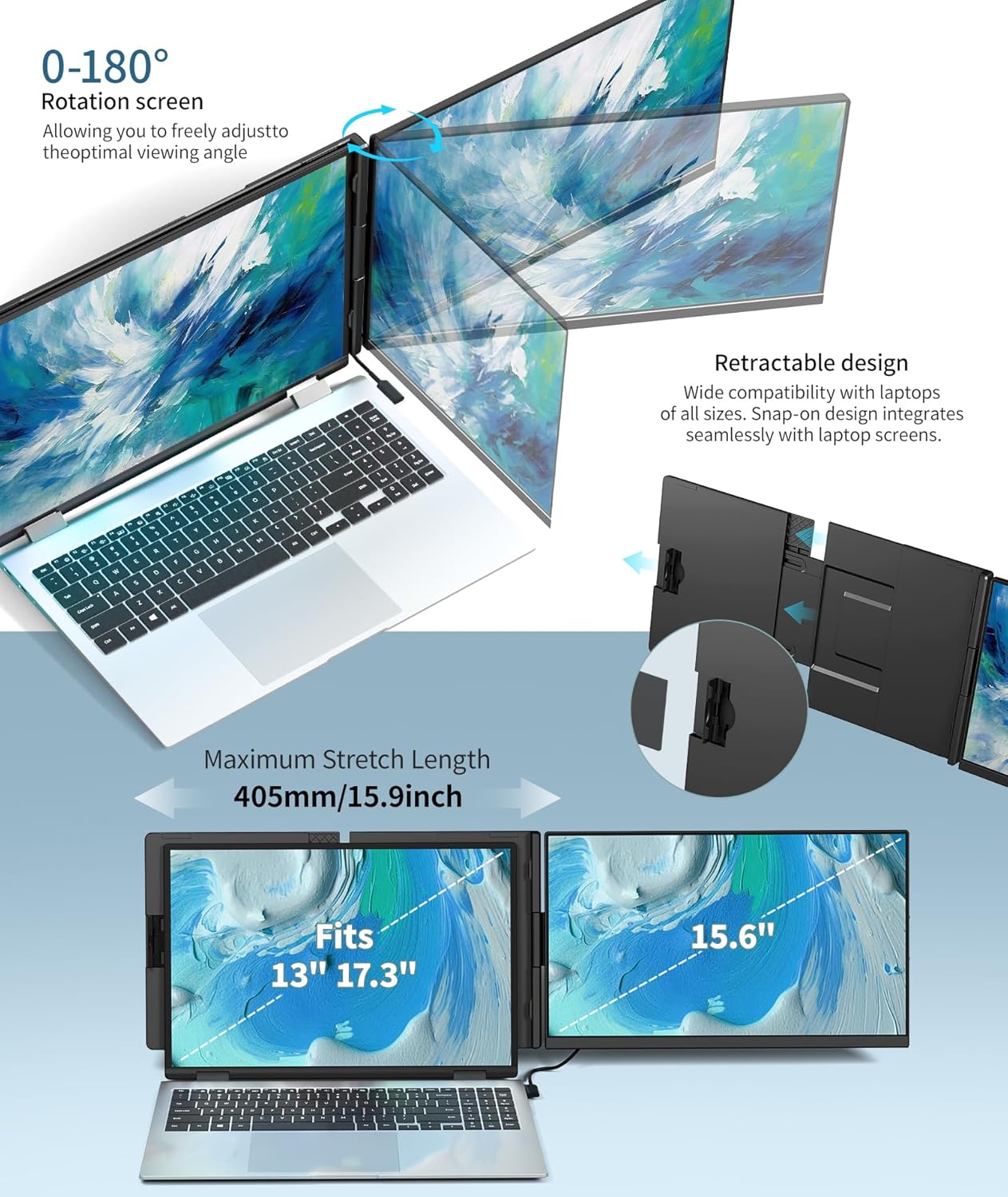
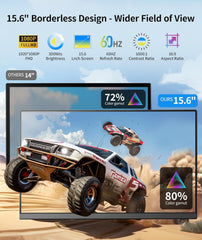
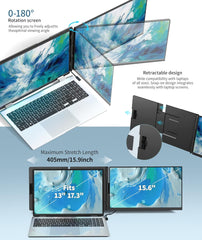
First and foremost, upgrade your laptop with the Cevaton P5, a powerful portable laptop monitor that adds a massive 15.6” Full HD screen to your setup instantly. Specifically, as a high-performance laptop screen extender, it creates a seamless dual-screen workstation that matches your laptop's size. Consequently, it is the perfect monitor for laptop users such as students, traders, and gamers who need room to breathe.
🌟 Why This Portable Laptop Monitor Is Built For The Real World
☀️ Sunlight-Ready Visibility (300 nits)
In addition to its impressive size, this laptop screen extender allows you to work where others can't:
-
Outdoor Clarity: Specifically, with 300cd/m² brightness, the P5 cuts through glare. As a result, it delivers crisp visuals in bright cafes, outdoor WiFi zones, or sunlit offices.
-
15.6" Canvas: Furthermore, you get the full visual experience of a desktop monitor in a highly portable form factor.
🛡️ Military-Grade Durability
Beyond its display, this portable laptop monitor is built to survive your daily grind:
-
Tough & Rugged: For instance, unlike fragile screens, the P5 is engineered with military-grade durability.
-
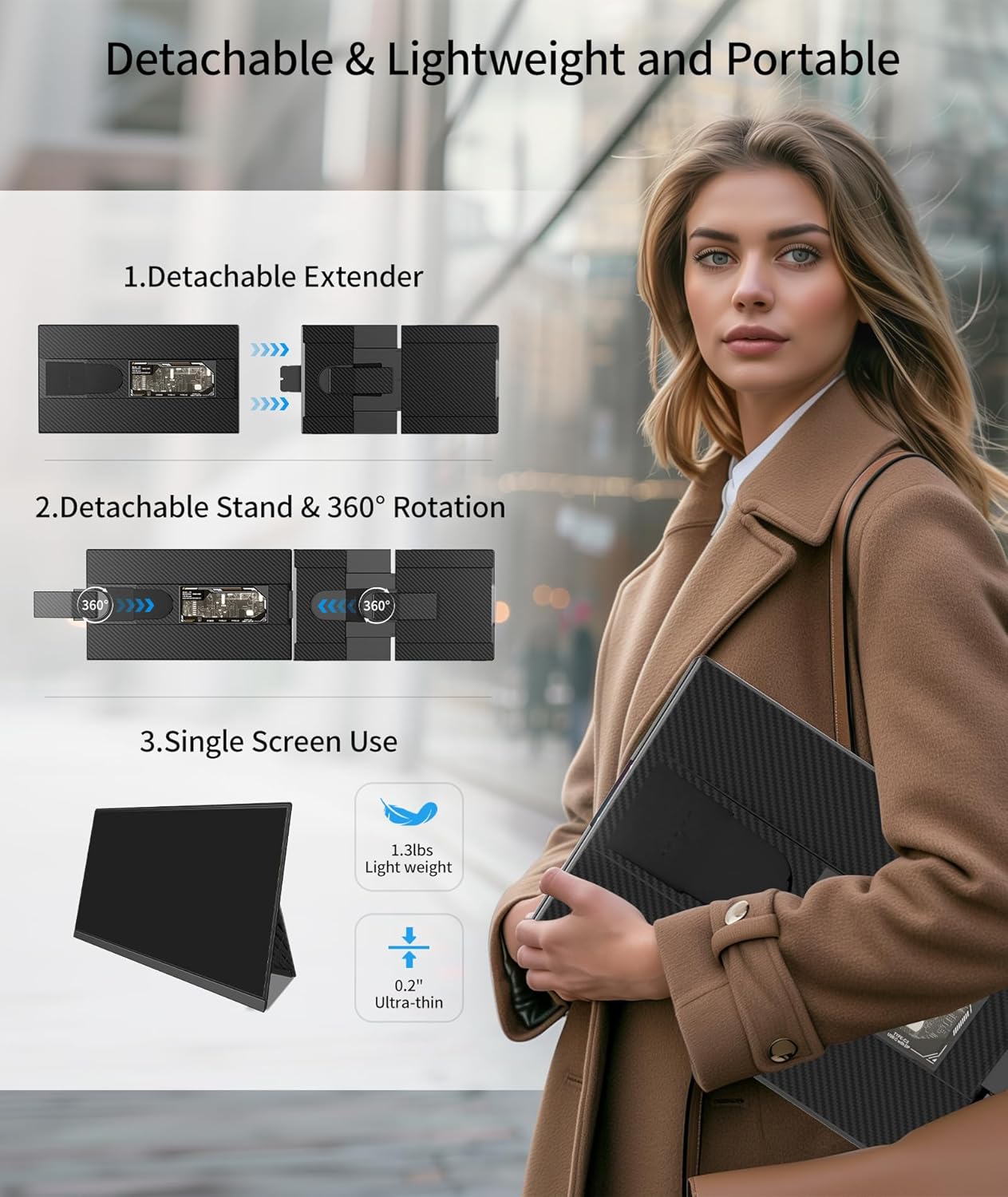
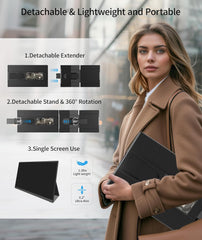
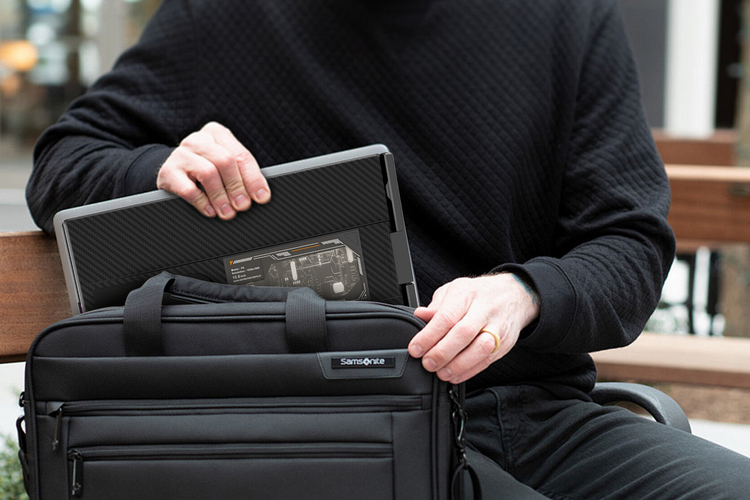
Backpack Ready: Moreover, at 24.8mm thin, it slides into your bag easily. In addition, it is tough enough to withstand the bumps of travel and the occasional coffee spill.
-
Solid Build: Consequently, weighing 2.2kg, it offers a stable, premium feel that stays put while you work.
⚡ Instant "Plug & Play" Power
To begin with, this monitor for laptop setup requires no drivers and causes no delays:
-
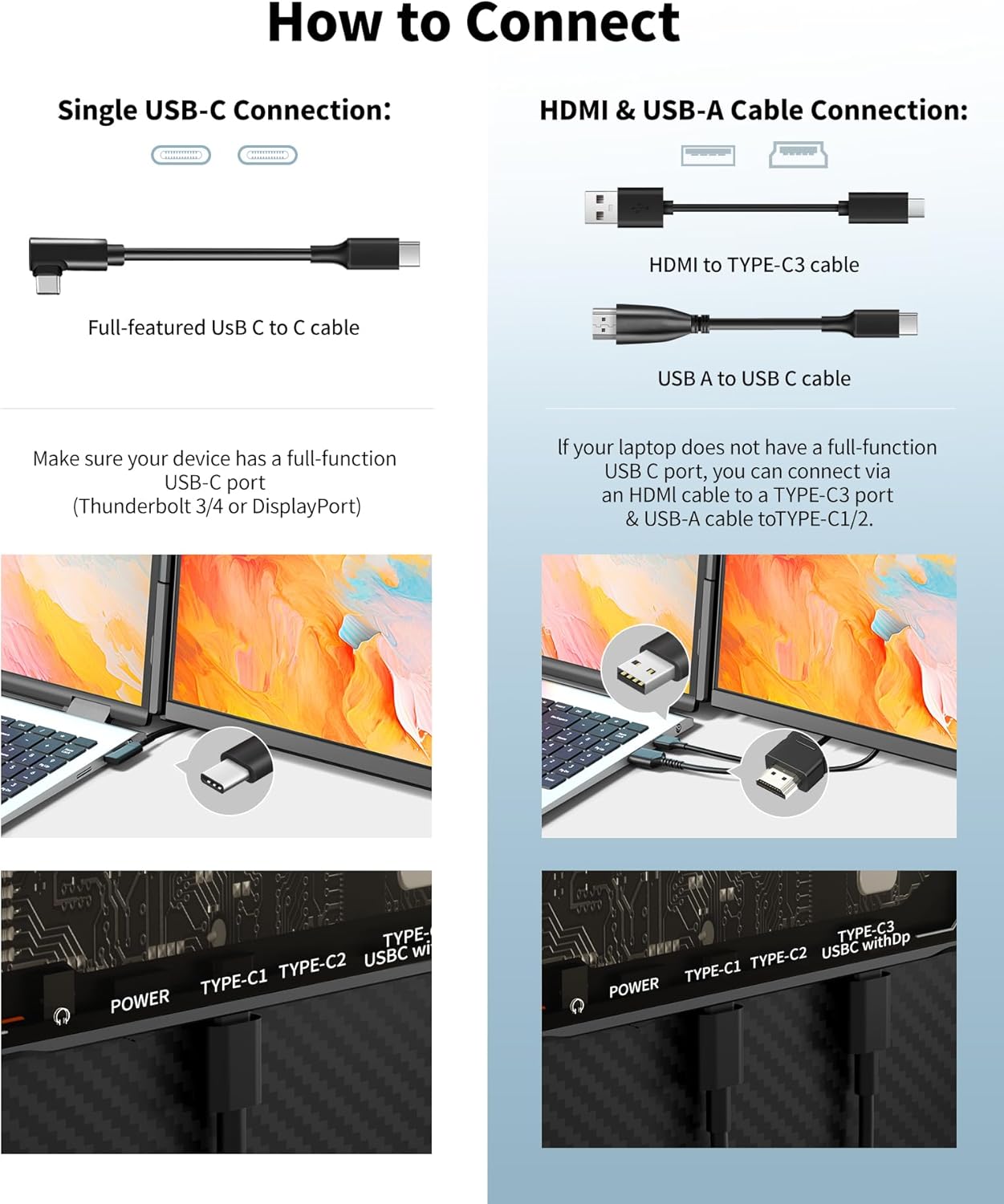
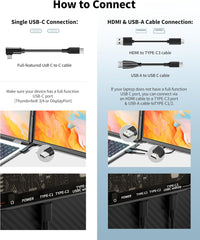
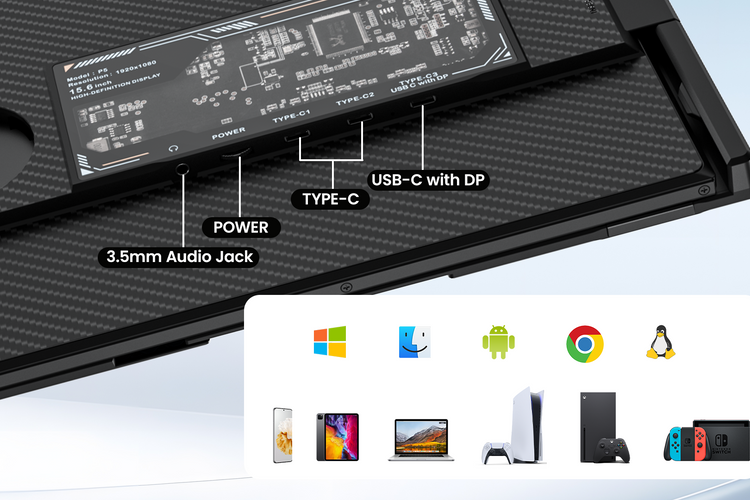
Universal Link: Specifically, you can connect effortlessly via USB-C or HDMI.
-
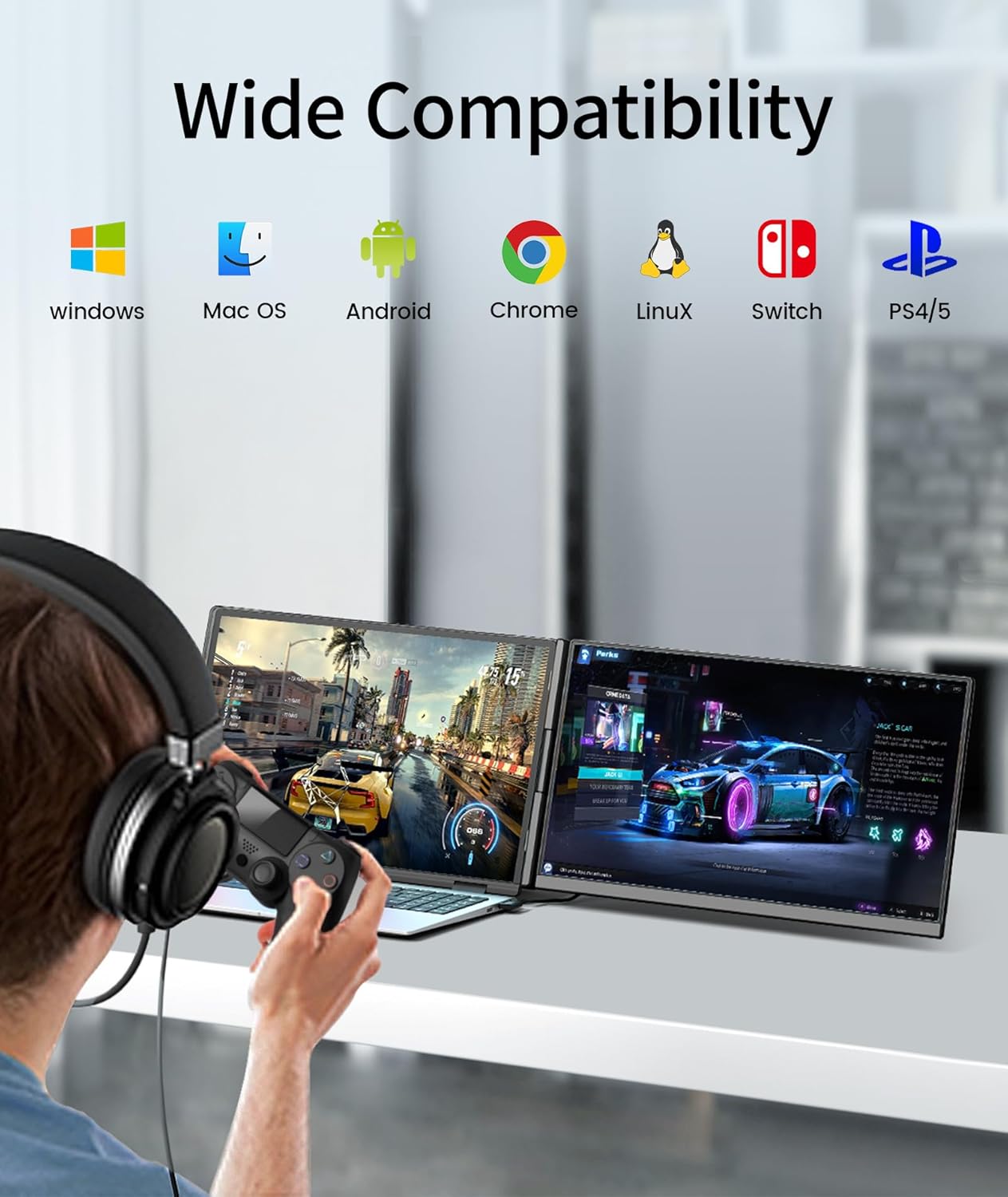
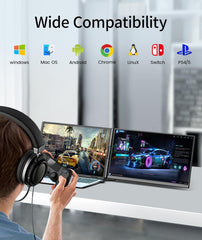
Compatibility: Furthermore, it works perfectly with Windows, Android, and Laptops.
-
Zero Lag: Finally, you can experience smooth performance for coding, streaming, or stock trading.
🎯 This Laptop Screen Extender Is Perfect For:
-
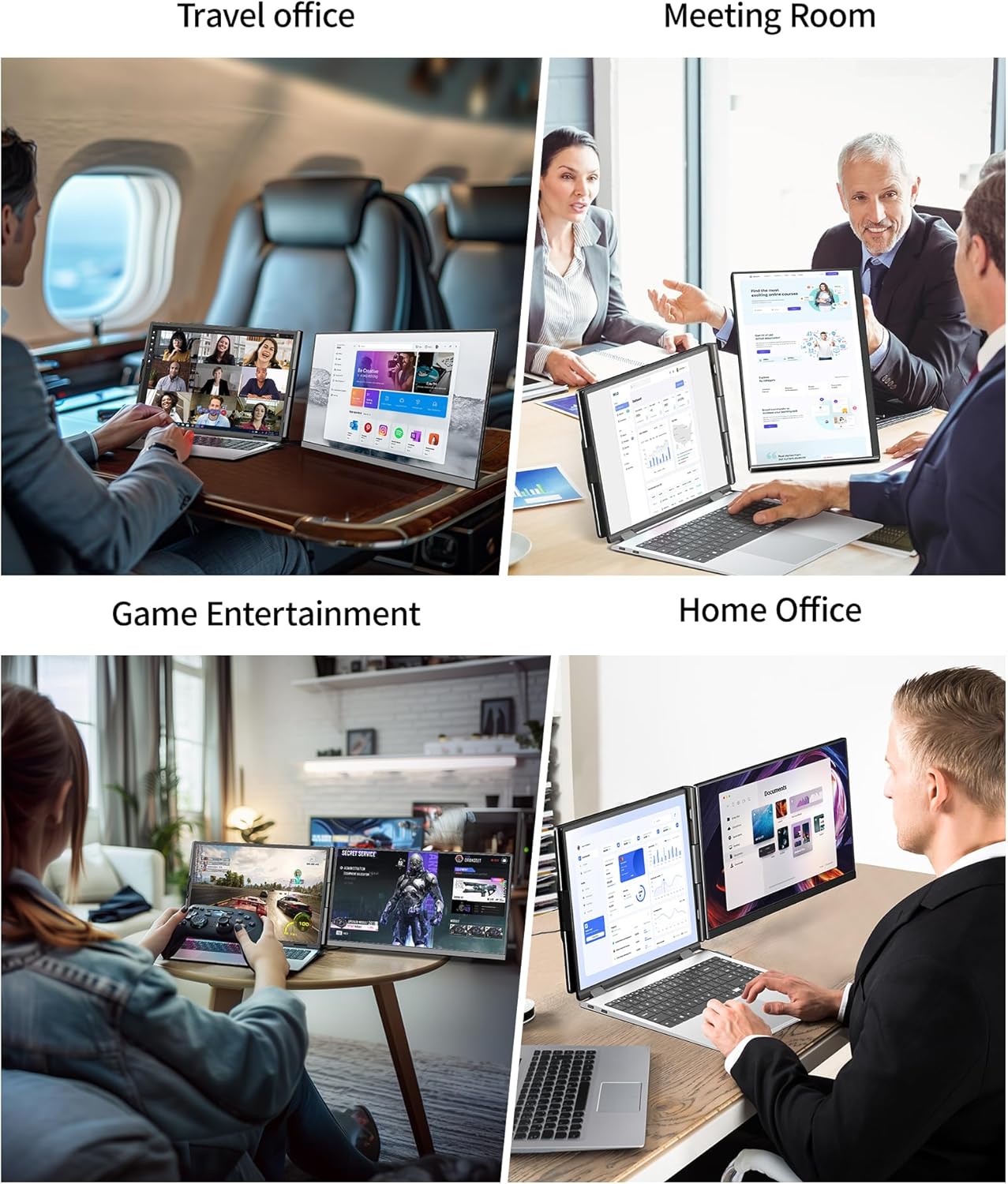
📈 Stock Traders: For example, you can keep your charts open on the P5 while executing trades on your laptop.
-
🎮 Gamers: Similarly, you can stream your gameplay on one screen while monitoring chat on the other.
-
🎓 Students: In short, you can reference textbooks on the big extender screen while typing essays on your laptop.
Double your screen, double your potential.
In conclusion, you should make the P5 portable laptop monitor your rugged mobile partner today. Therefore, you can transform any environment into a high-productivity zone.
Product Specification
Product Highlights


Other Details

Premium Metal Build

Single Speaker
Connection Methond
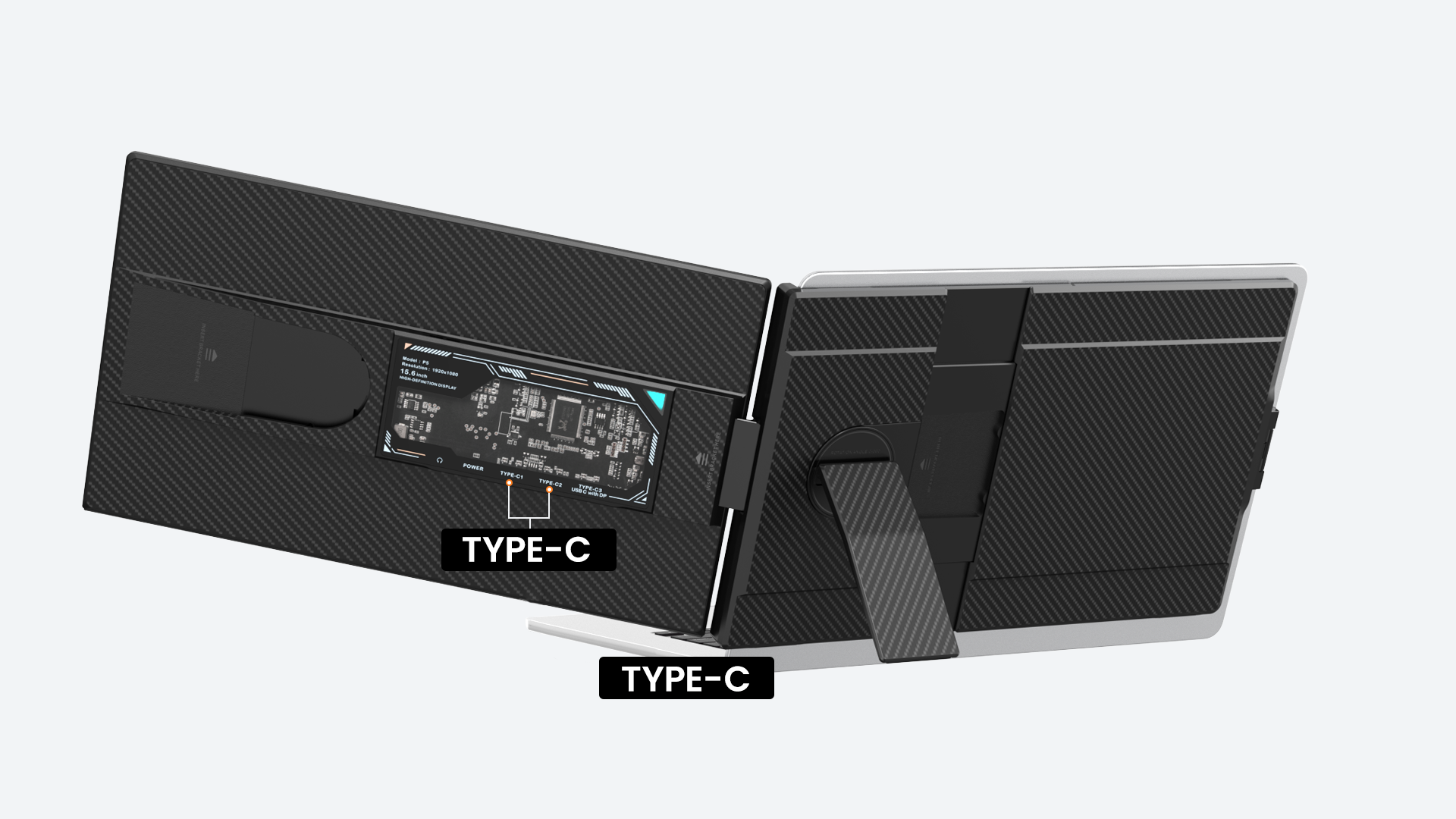
Step 1: Connect via USB-C (Recommended for Full-Function USB-C Laptops)
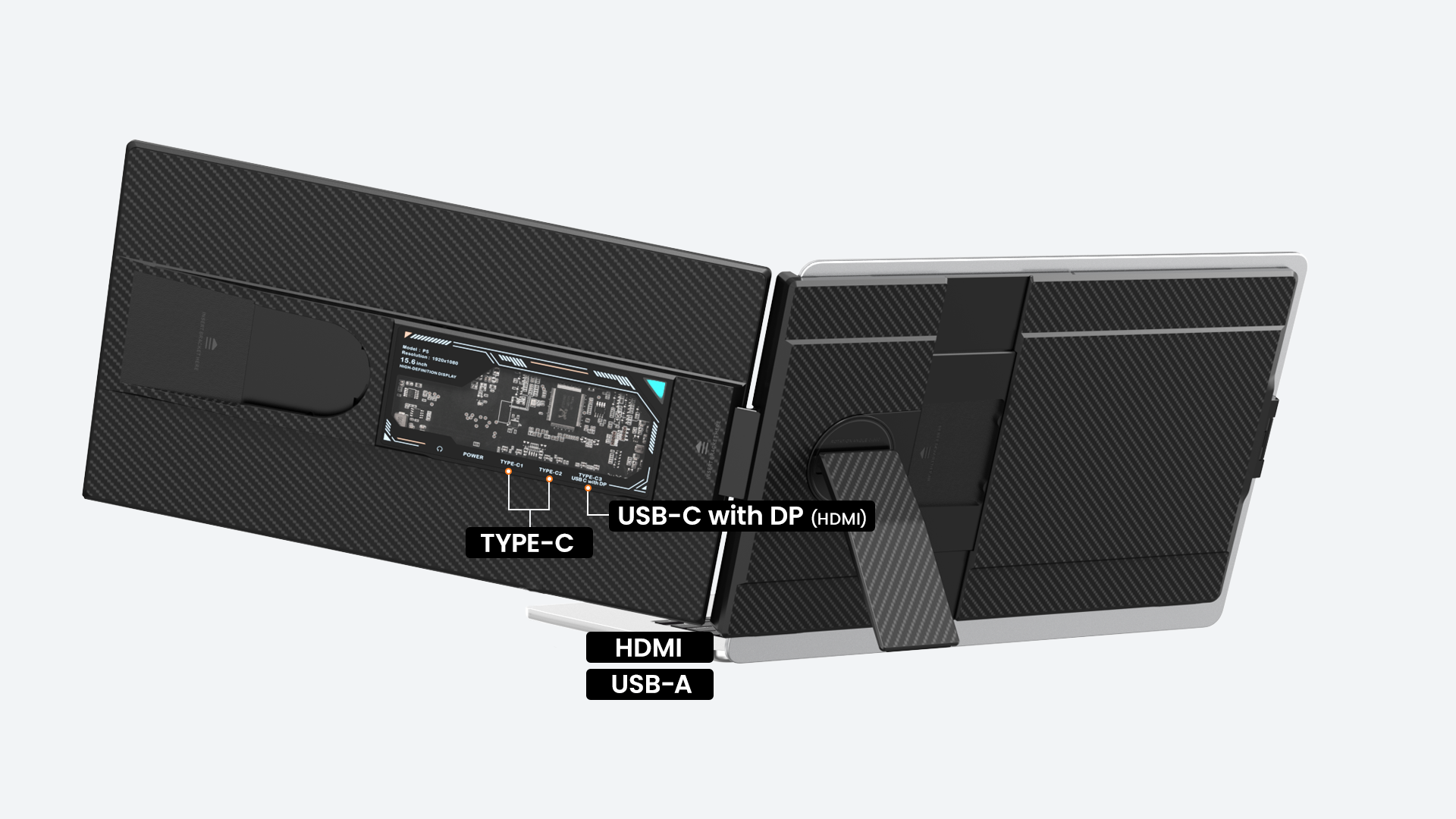
Step 2: Connect via HDMI + USB (For Laptops Without Full-Function USB-C)
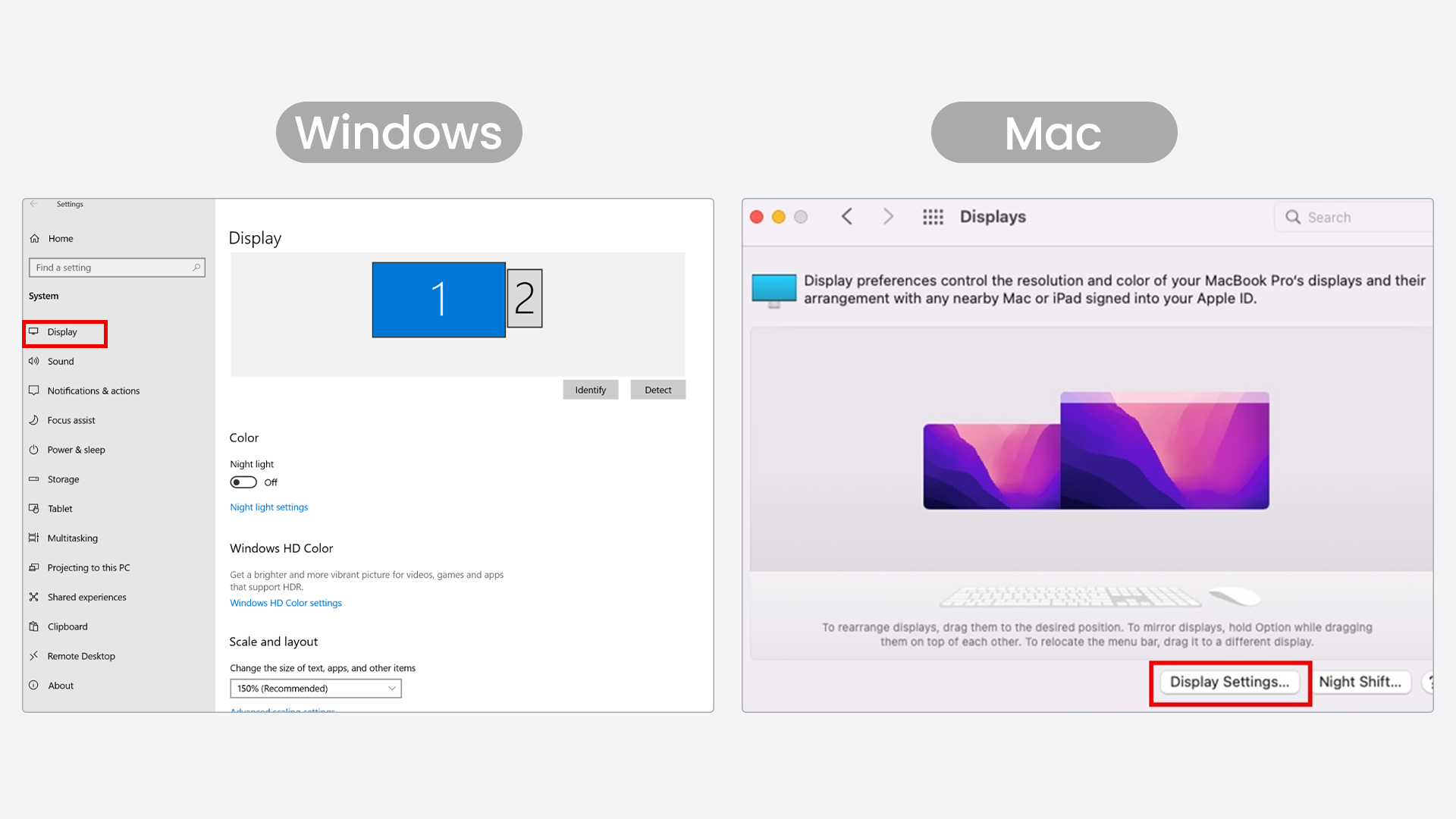
Step 3: Adjust Display Settings on Your Laptop
Inncluded in the box

HDMI to TYPE-C

P5

Single Screen Stand

USB-A to USB-C

USB-C to USB-C
FAQs


Related Products
Example product title
- $159.99
$219.99- $159.99
- Unit price
- per
Save $60.00
Example product title
- $159.99
$219.99- $159.99
- Unit price
- per
Save $60.00
Example product title
- $159.99
$219.99- $159.99
- Unit price
- per
Save $60.00
Example product title
- $159.99
$219.99- $159.99
- Unit price
- per
Save $60.00
Example product title
- $159.99
$219.99- $159.99
- Unit price
- per
Save $60.00
Example product title
- $159.99
$219.99- $159.99
- Unit price
- per
Save $60.00
- Choosing a selection results in a full page refresh.